

Project Description
Help Frankie clean their room and rediscover the motivation to finish their project!
Tiny Tidy Room (TTR) is a room-cleaning simulator. A clean environment can help you declutter your mind, and taking regular breaks is critical to maintaining good mental and physical health.
The goal of this assignment was to create a 3D game wherein the user manipulates the player character and
can interact with and affect the environment. This was a technological proof-of-concept made in preparation for the production
phase of my Master's Research Project. Scroll down to see the demo video, and find the link to play the browser version at the very bottom of this page!
Special thanks to Max and Jeah for helping me think of the title for TTR, and to Professor Derek Ng for his support throughout the year.
Music: "cat toy!" by Louie Zong
Client
Derek Ng (Biomedical Communications
Professor, University of Toronto)
Audience
Lay Audience
Tools
Maya, Adobe Illustrator, Godot
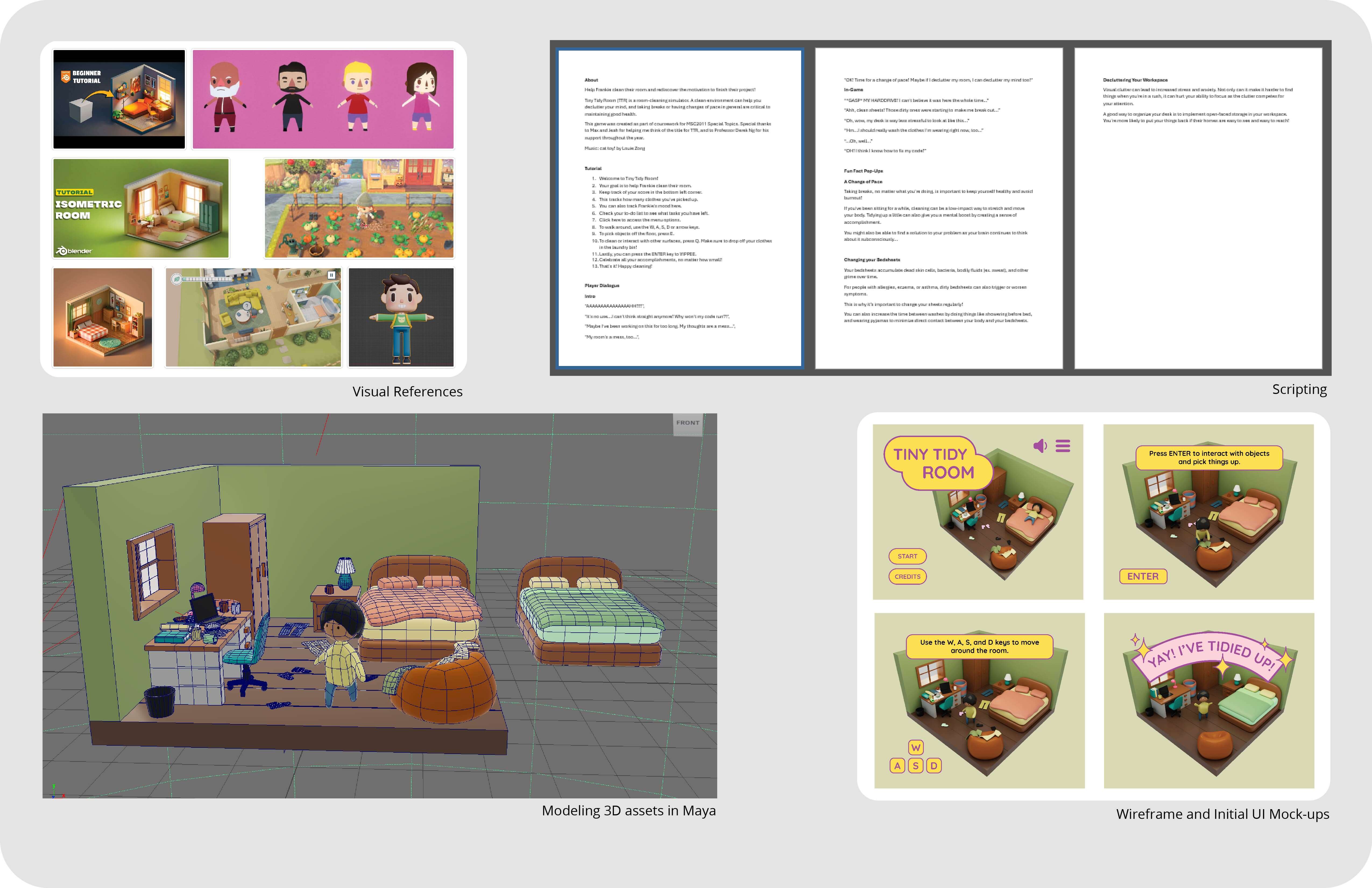
Research, Scripting, and Asset Design
As the focus of this project was on learning how to use Godot, the informational component of this project is on the simpler side.
After conducting general research on good hygeine and house-keeping practices, I moved on to scripting. For this game, I created dialogue for Frankie,
informational pop-ups, and the game tutorial.
Moving on to asset creation, I first gathered visual references. I wanted the visuals to be cute, simple, round, and fairly low-polygon.
This project had a tight turnaround, so I moved on to modelling the 3D assets in Maya right away. My focus was on
keeping the 3D meshes as simple as possible to reduce their file size. I also rigged and animated the player character's basic movements (walking, picking up clothes/ cleaning, yippee-ing).
Then, I mocked up some wireframes for the tutorial component of the game, as well as some other 2D components, such as the logo and the user interface (UI).
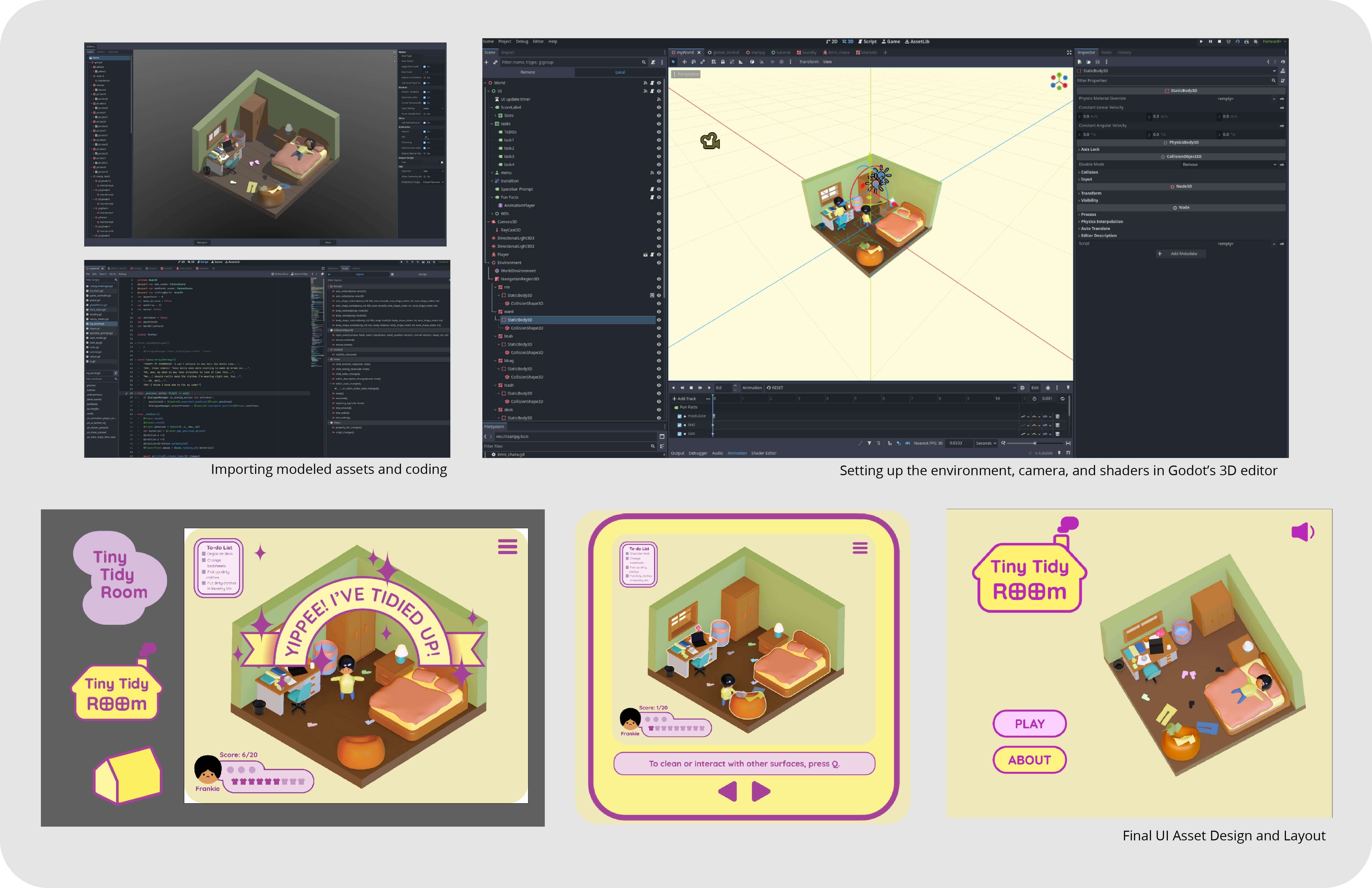
Final UI Design, Asset Import and Scripting
Next, I imported my assets to Godot. Before I could start coding, I had to set up the environment, shaders, camera position, adjust any materials that
had imported incorrectly, and set up the asset types and collisions. Once this was done, I had a better sense of where the UI elements could fit in the game's viewport.
This allowed me to finalize my UI assets and layout.
When I started coding, I began with implementing core functionality. This included ensuring that the environment reacted appropriately when
the player interacted with it, that the player's score updated correctly as the game progressed, and that player input triggered the correct outcome.
Once I was done coding the main game functions, there were several additional features I also wanted
to implement. Examples include the ability to switch between scenes (the start page, the main game environment, and the tutorial),
random item generation, character animation,
and responsive dialogue.
To change between scenes, I created a global scene manager to switch between scenes.
To randomize the location and colour of the clothing items,
I created a path for the pants and socks to randomly generate onto at set intervals. I coded the colour to randomize at time of spawn as well.
For the character animations, I animated the characters in Maya and then imported the animation files to be paired with the character mesh.
The dialogue was implemented last, after the main game elements were functional. It is a global scene that appears as an overlay over the other game elements when triggered.
Final Splash Image and Link to Browser Game